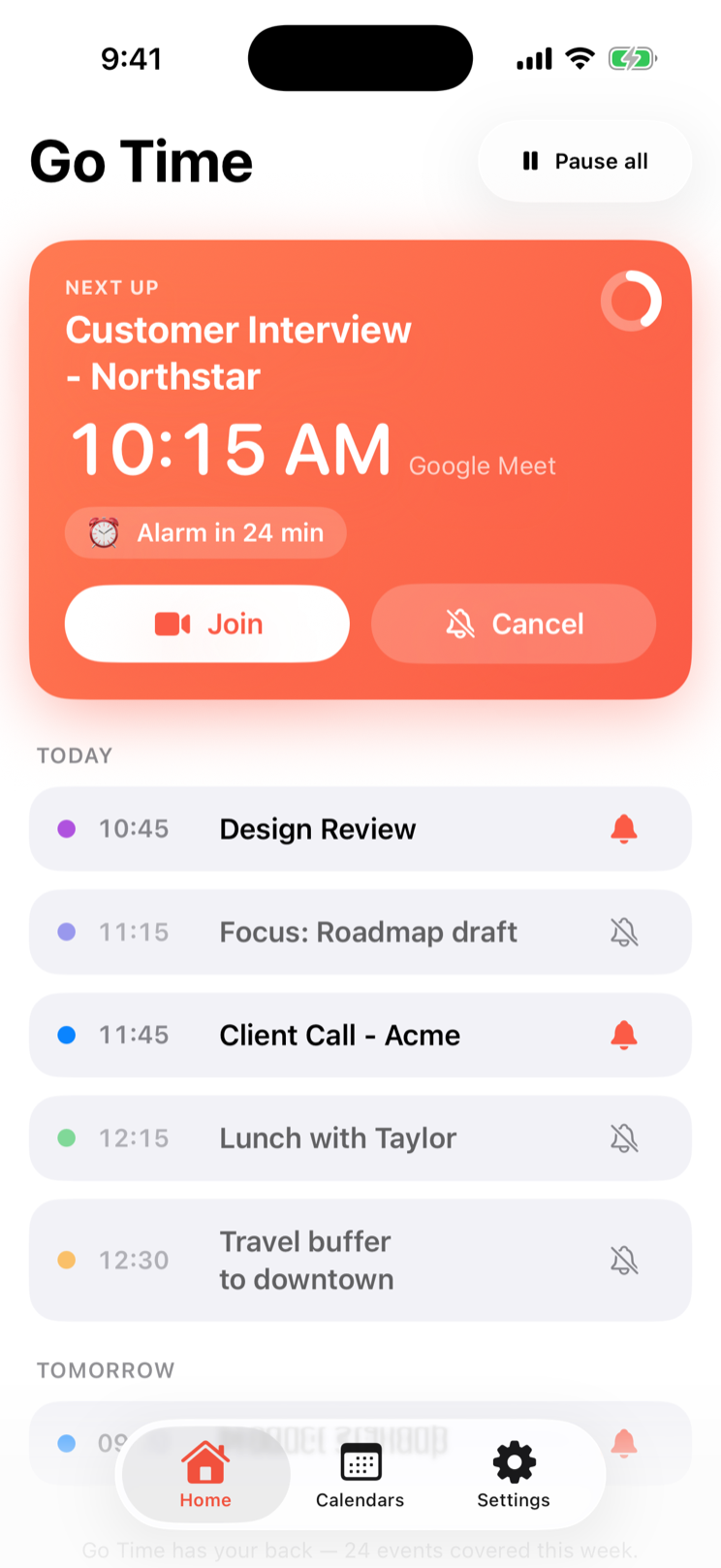
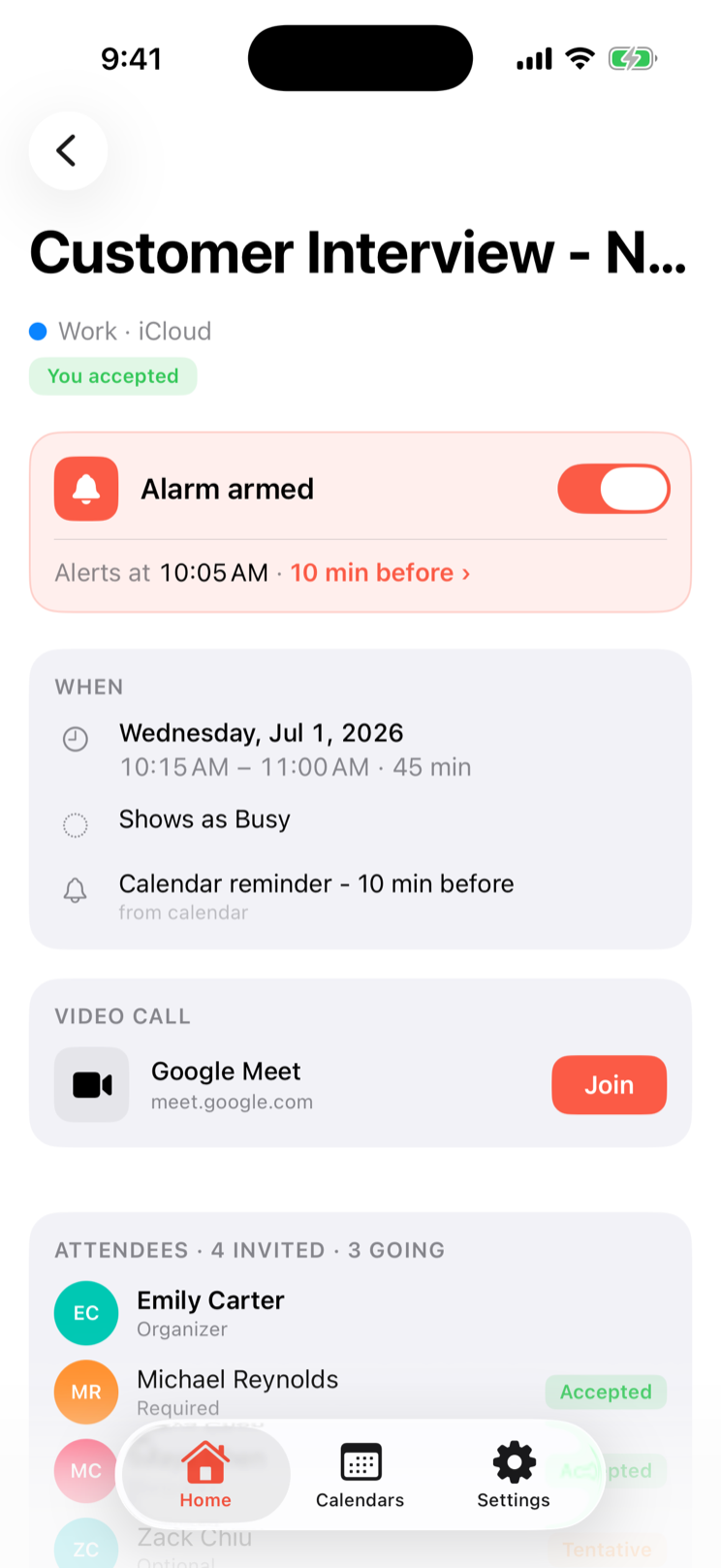
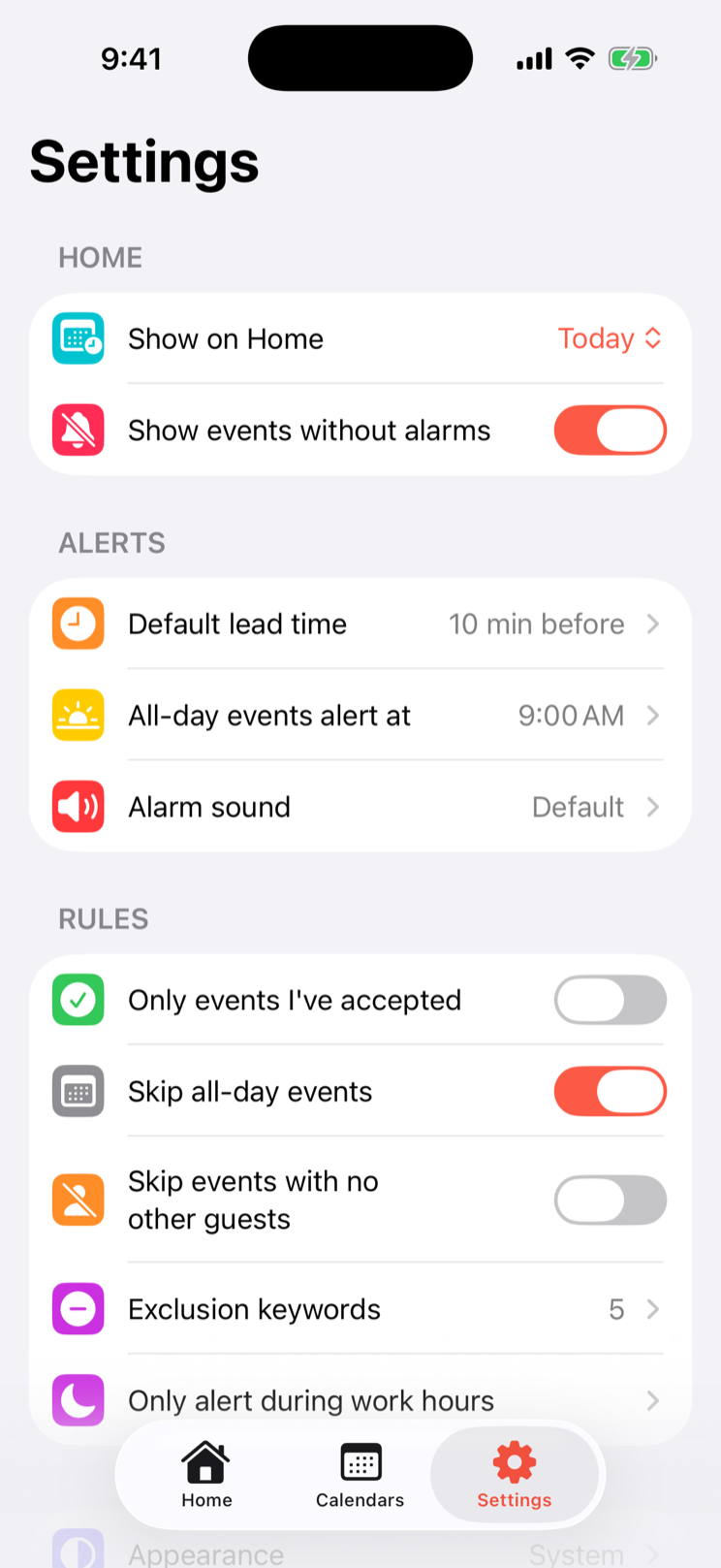
Go Time works automatically with the calendars already on your iPhone or iPad, turning the events that matter into real alarms that ring through silent mode and Focus. Customize calendars, timing, sounds, and Smart Rules so the right events get through—and everything else stays quiet.
iPhone and iPad · iOS/iPadOS 26.1 or later · Private by design
Calendar / alarm / join
How it works
A calendar event becomes a moment you cannot miss.
Go Time keeps the path short: choose the events, set the boundaries, then let the alarm do its job.
01
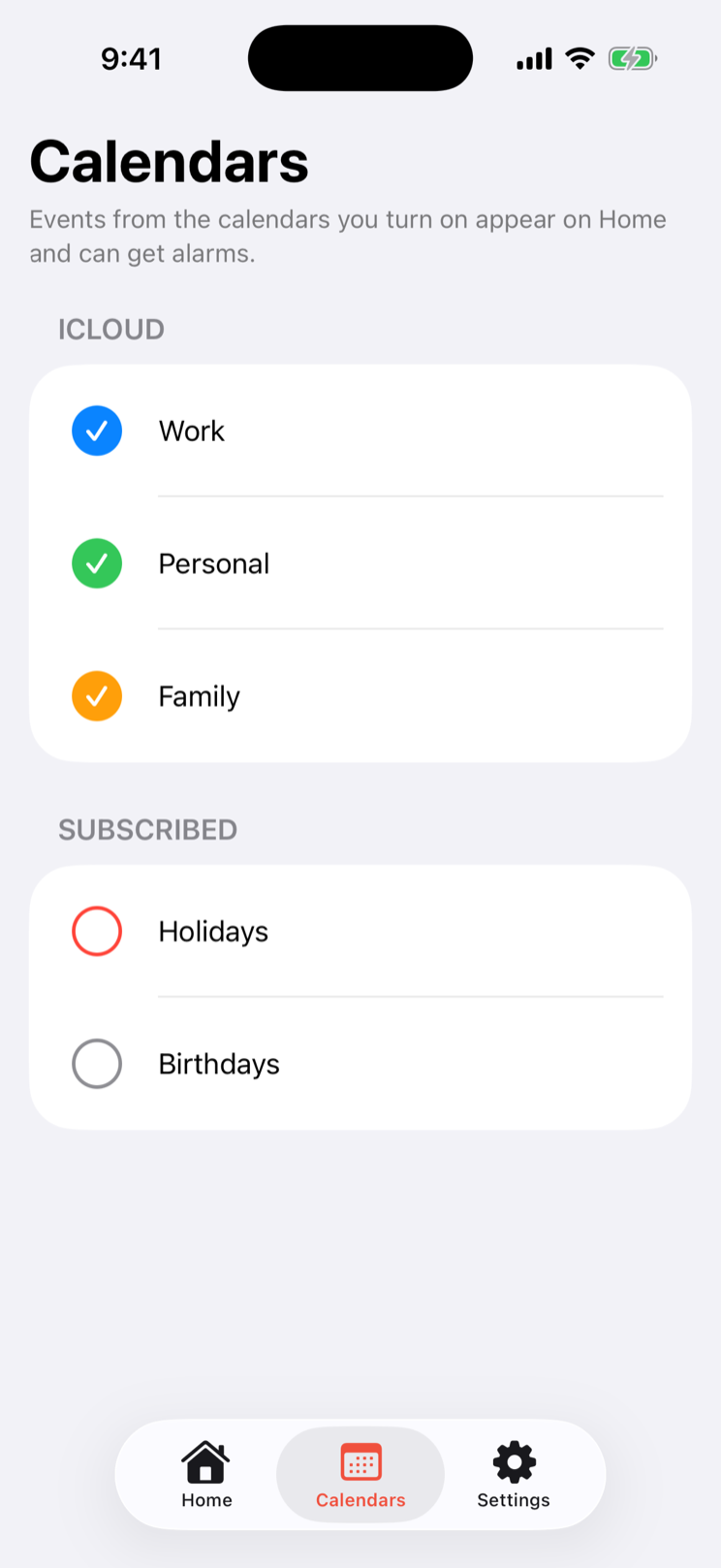
Choose the calendars that matter.
Start with the calendars you want Go Time to watch, and leave the rest alone.
02
Set the rules around your day.
Pick lead times and quiet exceptions so an alarm earns its interruption.
03
Go when it rings.
Open a meeting link from the alarm and move from calendar to call without hunting.
The controls
Decide what earns an interruption.
The details are where a useful calendar alarm stays useful. Each control is built to help you hear less, not more.
Choose which calendars ring.
Turn Work, Personal, or Family calendars into alarms — and leave the rest quiet.
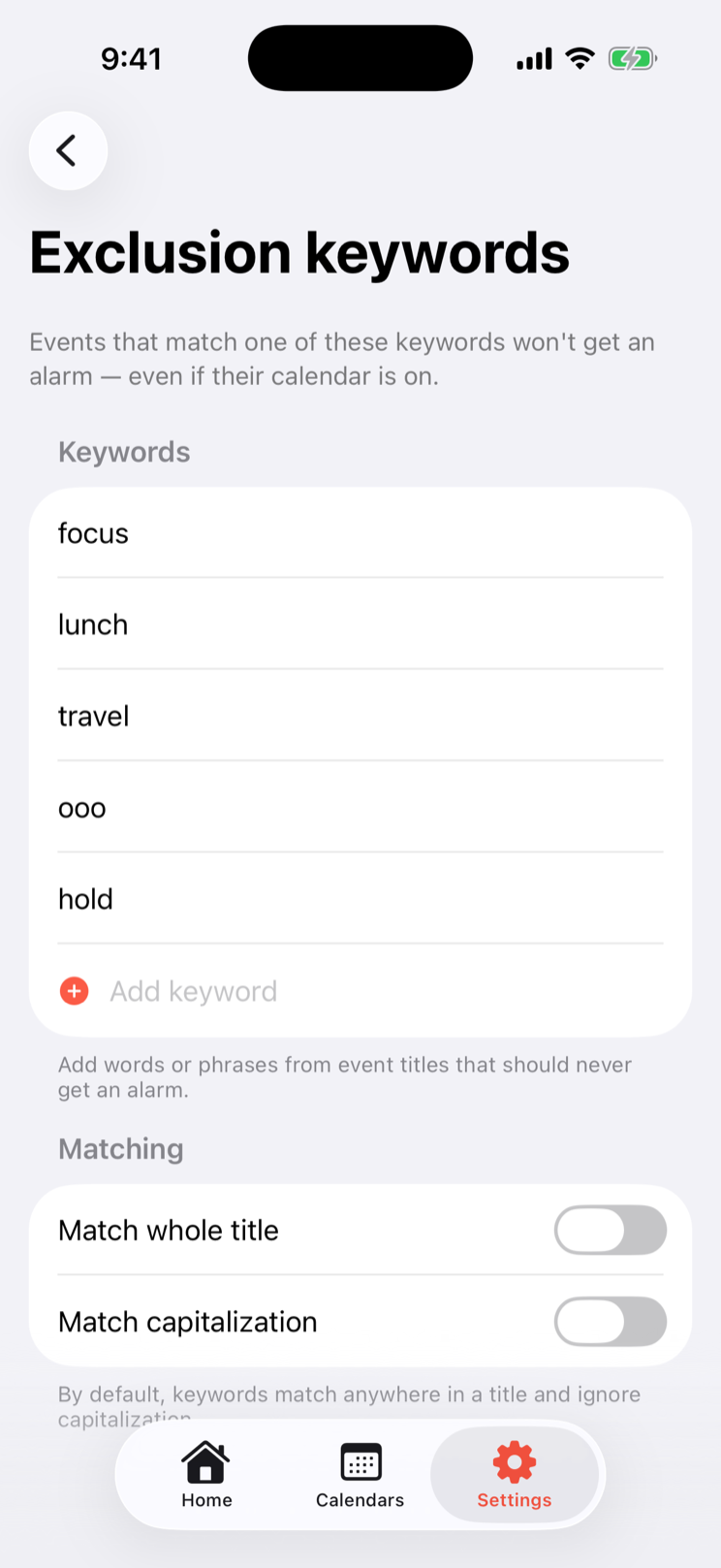
Filter the noise.
Skip focus blocks, lunch, travel, holds, and anything else that should stay silent.
Tune timing, rules, and sounds.
Set lead times, work hours, accepted-only rules, all-day behavior, and the sound that gets through.
Built for trust
Dependable alarms. Private by design.
Go Time is built on Apple's native AlarmKit and processes your calendar entirely on your device.
Powered by iOS AlarmKit.
Go Time uses Apple's native AlarmKit API to schedule real system alarms, not ordinary notifications. With Alarm access enabled, important events are designed to ring through silent mode and Focus.
Go Time reads and filters calendar events locally on your iPhone or iPad. It has no account, tracking, advertising, or server-side calendar storage, and the app never uploads your event data.
Start simple. Add control when your schedule asks for it.
Go Time is useful with one calendar. Pro adds the tuning tools for a schedule with more moving parts — monthly, yearly, or once.
Free
The core alarm experience for one calendar.
$0
One selected calendar
A five-minute heads-up before each meeting
Alarms for selected events
One-tap Join when a supported meeting link is available
Pro
More ways to make the alarm fit your day.
$1.99
per month
$9.99per year
Unlimited calendars
Custom lead times, including at start
Exclusion keywords and work-hours controls
Accepted-only and all-day event rules
Custom alarm sounds
Eligible users receive a seven-day free trial. Pro auto-renews unless cancelled at least 24 hours before the trial or current billing period ends. Manage or cancel in your Apple Account subscription settings.
Lifetime
Pay once. Keep Pro without a subscription.
$39.99
one-time
Everything in Go Time Pro
One payment — never renews, nothing to cancel
Every future Pro feature included, free
Restore on any device with the same Apple Account
“Lifetime” means the life of the app, not yours: you get every future Pro feature free for as long as we publish and support Go Time. Features that carry an ongoing per-person cost to run may be offered separately. Read the Lifetime licence terms.
From the founder
“A calendar knows where you need to be. The missing piece is an interruption you can actually notice — and enough restraint to make it welcome.”
— Zack, founder at Rainpeak Signals · Vancouver, BC
Questions & answers
Go Time, in plain language.
The practical details: quiet modes, reliability, privacy, purchases, and the iPhone or iPad it runs on.
Will Go Time ring when my iPhone or iPad is on silent or in Focus?
Go Time uses the alarm experience on iPhone and iPad for events you choose to track, so its alarms are designed to get through the quiet modes that can hide ordinary notifications. Your alarm and calendar permissions must remain enabled for that to work.
Are Go Time alarms guaranteed to fire?
No. Go Time is a helpful aid, not a guaranteed alerting system. Alarm delivery depends on iOS, AlarmKit, calendar data, permissions, and your device state, so keep another reminder for time-critical or safety-critical events.
What does Go Time do with my calendar data?
Go Time uses calendar access on your iPhone or iPad to decide when to schedule alarms. It has no account, tracking, or advertising, and calendar data and app activity stay on your device. Feedback only leaves your device if you choose to send it.
Which meeting providers can I join from Go Time?
When a calendar event includes a supported link, Go Time can open Teams, Zoom, Google Meet, Webex, FaceTime, or Amazon Chime from the alarm. Availability depends on the event link and the corresponding app or service on your device.
What is the difference between Go Time Free and Pro?
Free covers one calendar with a fixed five-minute heads-up and the core alarm experience. Pro adds more calendars, flexible timing, filtering rules, and sound controls for people who want Go Time tuned to a fuller schedule. You can unlock Pro either with a monthly or yearly subscription, or with a one-time Lifetime licence.
What does the Lifetime licence include?
The Lifetime licence is a one-time purchase that unlocks every Go Time Pro feature available today, plus every Pro feature we add later, with no subscription and nothing to cancel. Lifetime means the life of the app rather than your lifetime: it covers you for as long as we publish and support Go Time. A small number of future features that cost money to run for every person who uses them, such as server-side or third-party AI features, may be offered separately.
How does the trial work, and can I cancel?
Eligible users can receive a seven-day free trial of Go Time Pro when unlocking it with a subscription. Pro is also offered as an auto-renewing subscription, and you can manage or cancel it at any time in your Apple Account subscription settings. Cancelling stops future renewals while access continues through the current paid period.
Which devices and system versions does Go Time support?
Go Time supports iPhone and iPad running iOS/iPadOS 26.1 or later. It also needs calendar and alarm permissions; if either permission is denied or revoked, Go Time cannot provide its core alarm features.
Go Time for iPhone and iPad
Let your calendar speak up.
Go Time gives selected events the alarm treatment, then gets out of the way for the rest of your day.